

If you are a freelancer, independent contractor, or small business owner with zero full-time employees, opening a Solo 401(k) is one of the smartest financial moves you can make. And when it comes to zero-fee providers, Fidelity is consistently ranked at the top of the list.
(Note: If you are still weighing the pros and cons to see if this account is the right fit for your business, check out our complete Fidelity Solo 401(k) Review first).
While Fidelity offers incredible features—like zero account fees, zero-expense ratio index funds, and both Traditional and Roth options—their setup process can feel a little old-school. Unlike opening a standard checking account, setting up a Solo 401(k) requires specific IRS documentation.
Don’t panic. We are going to walk you through the exact, step-by-step process to get your Fidelity Self-Employed 401(k) open, funded, and working for you in 2026.
- EIN Required: You cannot use your Social Security Number to open the account; you need an IRS EIN.
- Manual Paperwork: The Adoption Agreement must be downloaded, signed, and either mailed or uploaded via Secure Message.
- Roth Capabilities: Always select the option that allows for Roth contributions on your application, even if you plan to stick to pre-tax this year.
- December 31 Deadline: To contribute for a tax year, the account must physically be open by the end of standard calendar year.
1. What You Need Before You Start
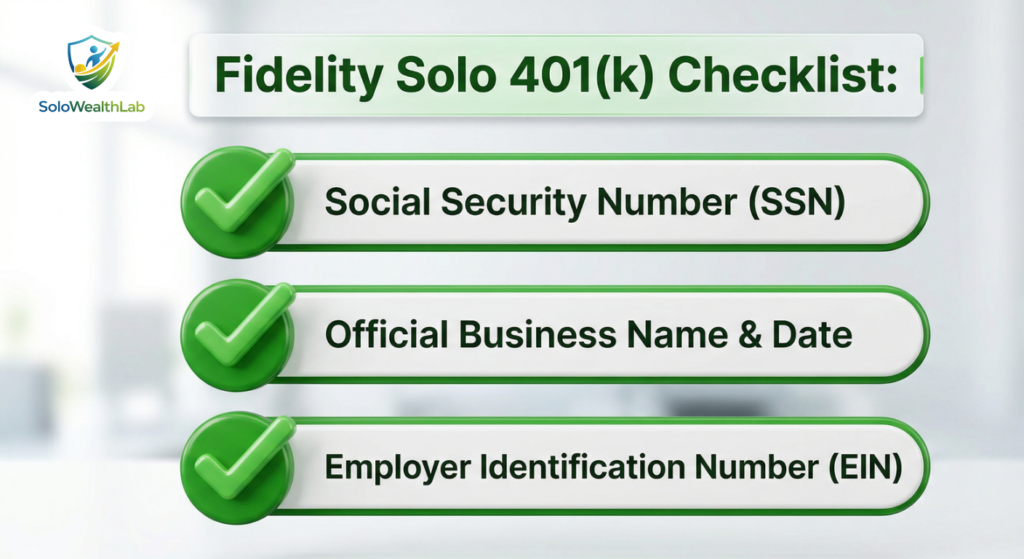
Before you head over to the Fidelity website, gather these three things to make the process seamless:
- Your Social Security Number (SSN): You will need this to identify yourself as the plan administrator and owner.
- Your Business Details: The official name of your business and the date it was established. (If you are a sole proprietor, your business name is just your own name).
- An Employer Identification Number (EIN): Even if you are a sole proprietor without an LLC, the IRS requires a unique EIN to open a retirement trust account.
2. Step 1: Get Your Free EIN from the IRS
Do not skip this step! Many freelancers try to use their Social Security Number on the Fidelity application, which causes it to get rejected. The Solo 401(k) acts as its own legal trust, so it needs its own tax ID.
- Go to the official IRS EIN Assistant website. (Ensure you are on IRS.gov and avoid third-party sites that charge for this—the IRS provides an EIN completely for free).
- Click “Begin Application.”
- Select “View Additional Types, Including Tax-Exempt and Governmental Organizations” and choose “Employer Plan (401K, Money Purchase Plan, etc.).”
- Fill out your personal details. When asked for the reason you are applying, select “Created a Pension Plan.”
- At the end of the 5-minute process, the IRS will generate a PDF with your new EIN. Save this PDF immediately! You cannot access it online again once you close the browser window.
3. Step 2: Download the Fidelity Application Paperwork
Because a Solo 401(k) is a legal trust, Fidelity still requires you to fill out a specific PDF application (often called the Adoption Agreement). Although they have digitized many accounts, the Solo 401(k) application remains a hybrid paper/PDF process.
- Navigate to the Fidelity Self-Employed 401(k) page on their official website.
- Click the button to “Open an Account.”
- Download the official PDF application packet. This packet generally contains three main documents: The Plan Document, the Adoption Agreement, and the Account Application.
4. Step 3: Complete the Fidelity Paperwork
This is where most people get stuck, but it is actually quite simple if you know what the forms are asking for. The packet is divided into the Adoption Agreement (creating your plan’s rules) and the Account Application (creating the actual investment account).
Completing the Adoption Agreement
The Adoption Agreement is the legal backbone of your Solo 401(k). This is where you declare your business name as the “Employer” sponsoring the plan.
- Employer Information: Enter your legal business name exactly as it appears on your tax returns. If you are a Sole Proprietor, this is your first and last name. Enter the EIN you just generated in Step 1.
- Plan Name: You get to name your 401(k) trust! Keep it simple. If your business is “Smith Consulting LLC,” you can name the plan “Smith Consulting LLC 401(k) Plan.” If you are a sole proprietor named Jane Doe, name it “Jane Doe 401(k) Plan.”
- Effective Date: Typically, this is January 1st of the current year (e.g., January 1, 2026), meaning you are opening a plan that covers your business income for the entire calendar year.
- Plan Options (Crucial Step): Fidelity will ask if you want to allow Roth (after-tax) contributions. Always select yes! Checking this box does not force you to make Roth contributions, but it gives you the flexibility to do so in the future if your tax strategy changes.
Completing the Account Application
While the Adoption Agreement sets up the “Plan”, the account application opens the physical bucket where your money will sit at Fidelity.
- Account Owner: In this section, you are opening the account in the name of the Plan (e.g., “Jane Doe 401(k) Plan”).
- Participant Information: Here, you act as the individual participant. Enter your Social Security Number (SSN) in this section, not your EIN.
- Beneficiaries: Name who will inherit the account if you pass away (usually a spouse, children, or a trust). Note: If you are married and want to name someone other than your spouse as the primary beneficiary, spousal consent is legally required on the form.
- Signatures: You will likely need to sign twice: Once as the “Plan Administrator” (the boss) and once as the “Participant” (the employee).
5. Step 4: Submit Your Paperwork
Fidelity does not allow you to click a button and automatically submit the forms. You have to send them in manually. You have two ways to get this paperwork to Fidelity:
- The Fast Way (Secure Message): This is highly recommended. If you already have a personal Fidelity account (like a checking account, a standard brokerage account, or an IRA), you can log in, navigate to the “Help & Support” tab, find the “Secure Message Center,” and create a new message. Upload your signed PDFs directly to their backend team.
- The Slow Way (Mail): You can physically print the documents, sign them in ink, and mail them via USPS or a courier to the Fidelity address listed on the front page of the application. If you choose this route, we highly advise using tracking.
6. Step 5: Fund Your Account and Invest!
Once Fidelity processes your application (usually within 3 to 7 business days), you will receive a welcome email, and your new Solo 401(k) will appear on your online dashboard alongside any other Fidelity retail accounts you hold!
Now, it is time to connect your business bank account and make your first contribution. Simply click “Transfer,” link your business checking account via routing and account numbers, and push the cash over.
Warning: Remember, simply transferring cash into the account doesn’t grow your wealth. The cash will sit in a “core” settlement position (essentially a money market fund). You have to actually invest it to achieve compound growth!
Fidelity offers thousands of investment options. For many DIY investors, their famous Fidelity ZERO Index Funds (like FZROX, the zero-expense total market index fund) are perfect for a hands-off, ultra-low-cost retirement strategy.
Read our Ultimate 2026 Guide to Gig Worker Retirement to see exactly how much you are legally allowed to shelter in your new Fidelity account this year.
7. How Do Solo 401(k) Contributions Actually Work at Fidelity?
Once your Fidelity Solo 401(k) is open, you will quickly realize that making contributions isn’t as simple as clicking a single button. Because you operate as both the “employer” and the “employee” in your business, you can fund the account from two different angles. Fidelity’s interface will require you to specify exactly what type of contribution you are making.
The Employee Deferral
As the employee of your solo business, you are allowed to contribute up to 100% of your earned income, up to the annual IRS limit ($23,500 in 2025, adjusting for inflation into 2026). If you are 50 or older, you can make a “catch-up” contribution.
When you transfer money via Fidelity, you must select “Employee Deferral.” Furthermore, if you checked the “Roth” box on your Adoption Agreement in Step 3, you’ll have the option at Fidelity to contribute these employee funds as either Pre-Tax (Traditional) or Post-Tax (Roth).
The Employer Profit-Sharing Contribution
This is where the magic of the Solo 401(k) happens. As the employer (the business owner), you can make an additional “profit-sharing” contribution to your own account. This is usually up to 25% of your net adjusted business profit.
When transferring these funds via Fidelity, you must label them as “Employer Contributions.” Note: Employer profit-sharing contributions must always be made as Traditional (Pre-Tax) dollars. They cannot be Roth dollars under Fidelity’s current standard plan documents.
Now that your retirement money is safely sheltered, make sure you don’t accidentally get hit with late fees on the taxes you do owe. Read our complete guide: Avoid Penalties: How to Pay Quarterly Estimated Taxes as a Freelancer (2026 Guide) to lock in your strategy for the year.
8. 3 Avoidable Mistakes When Opening a Fidelity Solo 401(k)
Even with a guide, we see entrepreneurs make three frequent errors when navigating the Fidelity paperwork. Avoid these to ensure your account opens on the first try:
- Missing the New Year Deadline: To contribute to a Solo 401(k) for a specific tax year, the physical trust must be established (the paperwork signed and dated) by December 31st of that year. Even though you have until Tax Day to actually deposit the money, the account must be open by December 31.
- Using Your Social Security Number for the Plan: As mentioned in Step 1, the Solo 401(k) is a distinct entity. Putting your personal SSN in the “Employer ID” field is the #1 reason Fidelity rejects applications. Always use an EIN.
- Not Requesting a Roth Account: Some people skip the section asking if they want a Roth sub-account because they want to focus on pre-tax tax deductions. Do not skip it. Even if you only want to do Pre-Tax this year, authorize the Roth option in the paperwork. It costs nothing, and if you have a low-income year in the future, you’ll be glad you have the Roth bucket ready to catch tax-free growth.
Frequently Asked Questions (FAQ)
Does Fidelity charge any setup fees for a Solo 401(k)?
No. Fidelity is famous for its fee-friendly structure. They charge exactly $0 to open a Self-Employed 401(k), and they charge $0 in annual maintenance or administration fees. Your only costs will be the microscopic expense ratios inside the actual mutual funds or ETFs you choose to invest in.
Can I do a “Mega Backdoor Roth” with a Fidelity Solo 401(k)?
No, unfortunately not. While Fidelity allows standard Roth Employee Deferrals, their standard, free Solo 401(k) plan document does not support “after-tax non-Roth contributions” or “in-service distributions.” Both of these features are required to execute a Mega Backdoor Roth strategy. If you need this specific advanced tax maneuver, you must use a custom third-party plan administrator (like Solo401k.com or MySolo401k) and pay their annual document fees.
Can I rollover an old traditional IRA or an old employer 401(k) into my Fidelity Solo 401(k)?
Yes, absolutely! The application packet includes a transfer/rollover form. By moving your old pre-tax IRAs into a new Solo 401(k), you can successfully clear out your IRA balance. This allows you to perform clean “Backdoor Roth IRA” contributions in the future without triggering the complicated IRS pro-rata rule.
Can my spouse also participate in my Fidelity Solo 401(k)?
Yes. If your spouse earns a legitimate, recorded income from your solo business (and officially works for the company), they can be added to your Fidelity Solo 401(k) plan. This essentially allows a husband/wife team to double their household contribution limits. You will simply fill out a separate Account Application for your spouse under the same main Adoption Agreement.